 sparksbud
Immersive 360° world
Kaleidoscope
A 360 journey through mirrored light, shifting glass forms and five distinct visual versions.
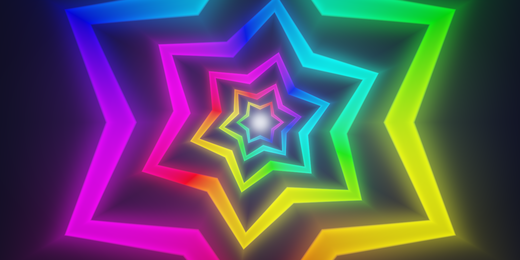
What is around you
Triangular mirror planes repeat cut-glass stars, seeds and close fragments above, below and around an endless prism. Iris interleaves sixfold glass flowers, etched jewel facets and inner rosettes across the mirrored planes.
How it moves
The journey moves forward through the mirrored structure while formations turn, sway or travel according to the selected vibe.
What you can do
Use the vibe control to choose Opaline, Ember, Frost, Tide or Iris. Drag, touch or use the arrow keys to look; R returns to the opening direction.
Music
Opaline reverie uses glass bells and spacious harmonies after sound is switched on.
Controls
Drag or touch to look around; the arrow keys turn the view and R returns to the opening direction. Space pauses motion, M starts or stops music, F enters fullscreen, and the settings control changes motion speed and brightness.
Browser and device
A current browser with WebGL 2 and graphics acceleration is required. On a compatible WebXR browser, including Meta Quest Browser, the app can offer Enter VR.
- Price and account
- Free to enter. No account or sign-up.
- Installation
- Runs in the browser; there is no app to install.
- Comfort options
- Music is off until you choose it. Reduced-motion visitors begin paused, and the app lets you pause motion or lower brightness and motion speed. Read the light, motion and VR notes in the Terms before entering if those effects may be uncomfortable. Terms
Frequently asked questions
How do I explore Kaleidoscope in VR on Meta Quest or Apple Vision Pro?
On Meta Quest, open Meta Quest Browser, visit https://sparksbud.com/?view=360&world=kaleidoscope, and choose Enter VR. Safari on Apple Vision Pro supports WebXR too, though Sparksbud has not been tested on that device yet. No download or installation is needed.
Is Kaleidoscope free to enter?
Yes. Kaleidoscope is completely free with no account creation, sign-up, subscriptions or adverts.
Can I experience Kaleidoscope without a VR headset?
Yes. You can explore on any computer, phone or tablet in a WebGL 2 browser. Drag or touch to look around in 360 degrees, and use Space to pause or M to play music.
What comfort options are available?
On a computer, Space pauses motion. In every view you can lower the speed and brightness in settings, and visitors who prefer reduced motion begin paused. Music is off until you turn it on.
Related worlds
Lumen Tunnels
An immersive flight through glowing tunnels that branch and reconnect in a changing current of light.