 sparksbud
Immersive 360° world
High Camp
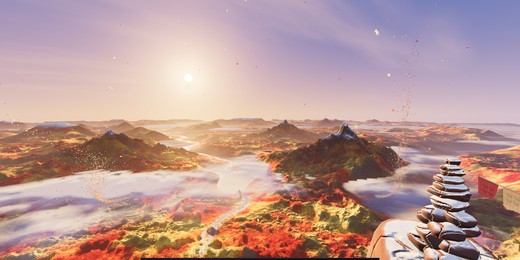
A 360 golden-hour camp high above mountain ranges, valleys, rivers and a shifting cloud sea in four seasons.
What is around you
A small tent and fire overlook mountain ranges, valleys, rivers and clouds, with a changing seasonal treatment across the same high camp.
How it moves
The viewer stays at camp while cloud shadows, river glints and wind add motion across the panorama.
What you can do
Select Fall, Winter, Spring or Summer with the vibe control. Use Call the wind, press E, or tap the scene to answer with the season’s wind.
Music
Last light uses warm plucks and slow amber harmonies when music is on.
Controls
Drag or touch to look around; the arrow keys turn the view and R returns to the opening direction. Space pauses motion, M starts or stops music, F enters fullscreen, and the settings control changes motion speed and brightness.
Browser and device
A current browser with WebGL 2 and graphics acceleration is required. On a compatible WebXR browser, including Meta Quest Browser, the app can offer Enter VR.
Inside this world
High Camp is a mountain VR lookout with a tent and small fire close to you and broad valleys, rivers and clouds beyond. The viewpoint remains at camp. Rather than moving the visitor down a trail, the scene uses cloud shadows, wind and river glints to give the distance life while you choose where to look.
The season control changes the same camp through Fall, Winter, Spring and Summer. Call the wind gives each version a small response, so there is something to try without turning the lookout into a game. If you are choosing a first headset world, its fixed viewpoint is easier to understand than a moving tunnel, but your own comfort still matters more than that design choice.
- Price and account
- Free to enter. No account or sign-up.
- Installation
- Runs in the browser; there is no app to install.
- Comfort options
- Music is off until you choose it. Reduced-motion visitors begin paused, and the app lets you pause motion or lower brightness and motion speed. Read the light, motion and VR notes in the Terms before entering if those effects may be uncomfortable. Terms
Explore further
Frequently asked questions
How do I explore High Camp in VR on Meta Quest or Apple Vision Pro?
On Meta Quest, open Meta Quest Browser, visit https://sparksbud.com/?view=360&world=summit, and choose Enter VR. Safari on Apple Vision Pro supports WebXR too, though Sparksbud has not been tested on that device yet. No download or installation is needed.
Is High Camp free to enter?
Yes. High Camp is completely free with no account creation, sign-up, subscriptions or adverts.
Can I experience High Camp without a VR headset?
Yes. You can explore on any computer, phone or tablet in a WebGL 2 browser. Drag or touch to look around in 360 degrees, and use Space to pause or M to play music.
What comfort options are available?
On a computer, Space pauses motion. In every view you can lower the speed and brightness in settings, and visitors who prefer reduced motion begin paused. Music is off until you turn it on.
Related worlds
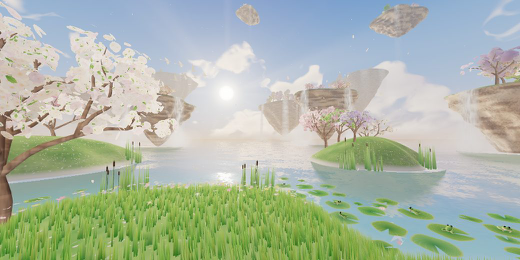
Skybloom
A 360 garden of blossoming islands and lily pads above a mirror sea, under a sun that answers a call for light.
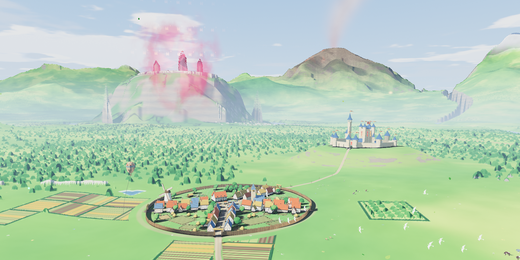
Link Tower
A 360 lookout over a living green kingdom with a real day-night cycle, distant landmarks and a fast-forward clock.